Bulk AI Studio Every filled cell shows its source.

A Google Sheets™ add-on that fills columns from a live web search and writes the sources into each cell’s note. When it cannot verify something it says so, instead of inventing an answer that looks exactly like a real one.

Bulk AI Studio running inside Google Sheets: a column of results being filled in, each cell carrying a note with the sources it was checked against.

What it does

Write a formula like =BAI_TRANSLATE(C2, "Arabic") and it classifies, extracts, translates, summarizes, or looks facts up about the text in your cells — across thousands of rows instead of one at a time.

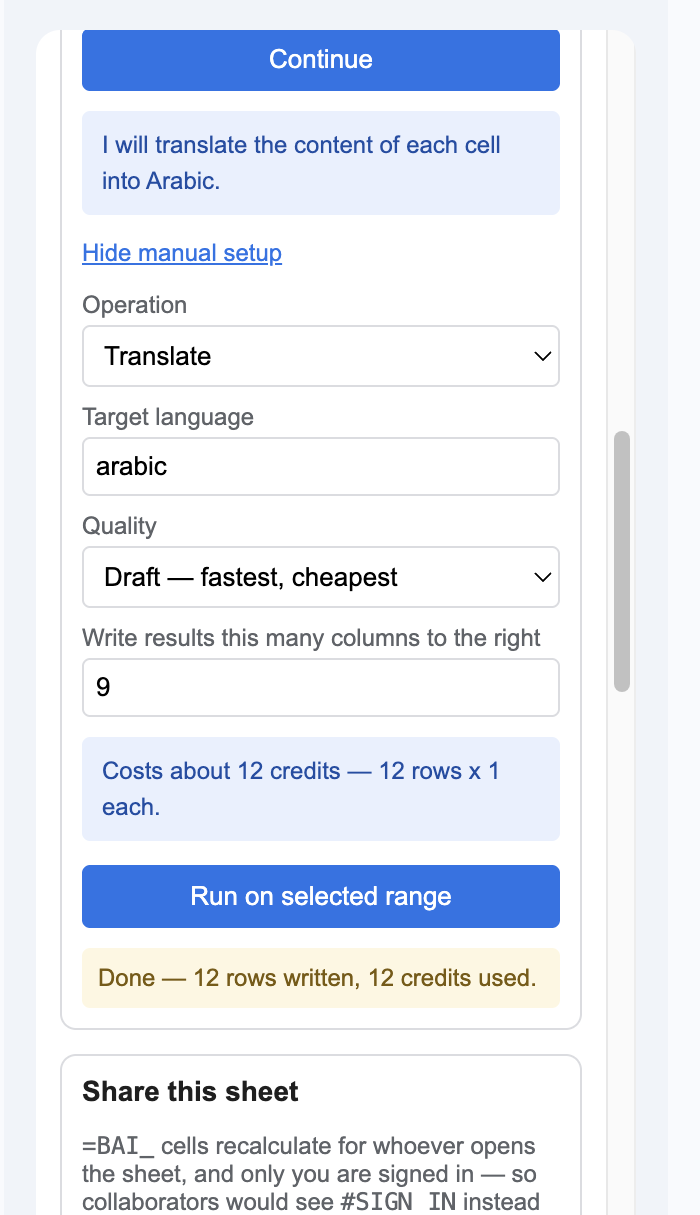
The add-on sidebar in Google Sheets. It reads: I will translate the content of each cell into Arabic. Below, the operation is Translate, the target language Arabic, and a note says the run costs about 12 credits — 12 rows at 1 each. After it has run: Done, 12 rows written, 12 credits used.
The sidebar says what it is about to do and what it will cost — before you press the button, not on the invoice afterwards.
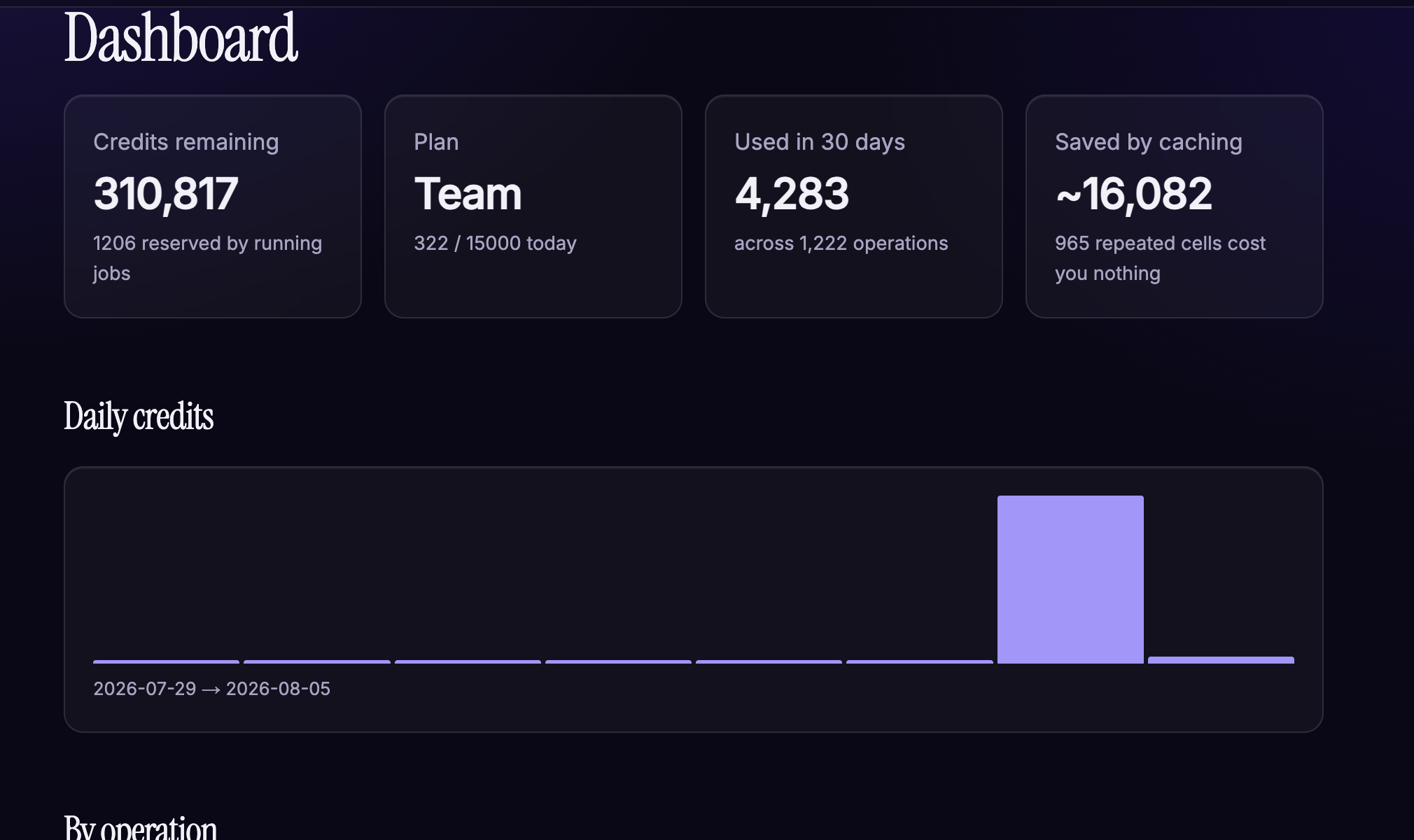
The Bulk AI Studio dashboard: credits remaining, current plan, credits used in the last 30 days, and the amount saved by caching, above a daily usage chart and a breakdown by operation.
Every run is metered and visible, including what caching saved you — repeated cells are served free rather than billed twice.

How it works

  1. Install the add-on from the Google Workspace™ Marketplace.
  2. Open a spreadsheet and sign in with your Google account from the Bulk AI Studio sidebar.
  3. Select a column and say what you want in plain language, or type a formula into a cell.
  4. Text from the cells you reference is sent to our service, processed by Google Cloud Vertex AI, and the result is written back into your spreadsheet.

What the add-on accesses, and why

We do not request Google Drive or Gmail access. Your spreadsheet content is never used to train any AI model — ours or anyone else’s; see Limited Use of Google user data. Full detail is in our Privacy Policy.

Ten functions

  • =BAI_PROMPT("prompt")
  • =BAI_CLASSIFY(A2, B$2:B$40)
  • =BAI_EXTRACT(A2, "email")
  • =BAI_TRANSLATE(A2, "Arabic")
  • =BAI_SUMMARIZE(A2, 30)
  • =BAI_SENTIMENT(A2)
  • =BAI_TABLE(A2, C$1:E$1)
  • =BAI_ENRICH(A2, "CEO")
  • =BAI_LIVE("USD to PKR rate")
  • =BAI_ASK("at risk?", A2:F2)

Answers you can check

BAI_ENRICH runs a live Google search and writes the sources into the cell’s note, with the date it was checked. Hover any value to see where it came from. Ask for a company that does not exist and it returns NOT_FOUND rather than a plausible invention.

Bulk runs that finish

Google Sheets custom functions stop after 30 seconds. Select a column, press run, and we process it on our servers instead — then write every result back in a single pass. Your browser does not need to stay open.

Arabic and Urdu, properly

Prompts are tuned per language on our servers, so you get fluent Modern Standard Arabic — not English with the words swapped. Right-to-left output renders correctly in the sheet and in the sidebar.

Pricing

A free plan is included — 1,000 rows a month, no card. Paid plans add more credits, higher daily limits, larger bulk runs, and looked-up facts with sources.

See pricing

Contact

Questions or support: osamaaminemail@gmail.com
Bulk AI Studio is operated by VMNebula.